Most sales teams eventually hit the same wall: Opportunities are in Salesforce, but quote documents are being built manually in Word, Google Docs, or email. Reps copy-paste deal details, update pricing by hand, and send inconsistent documents. Every quote takes longer than it should and carries the risk of a typo.
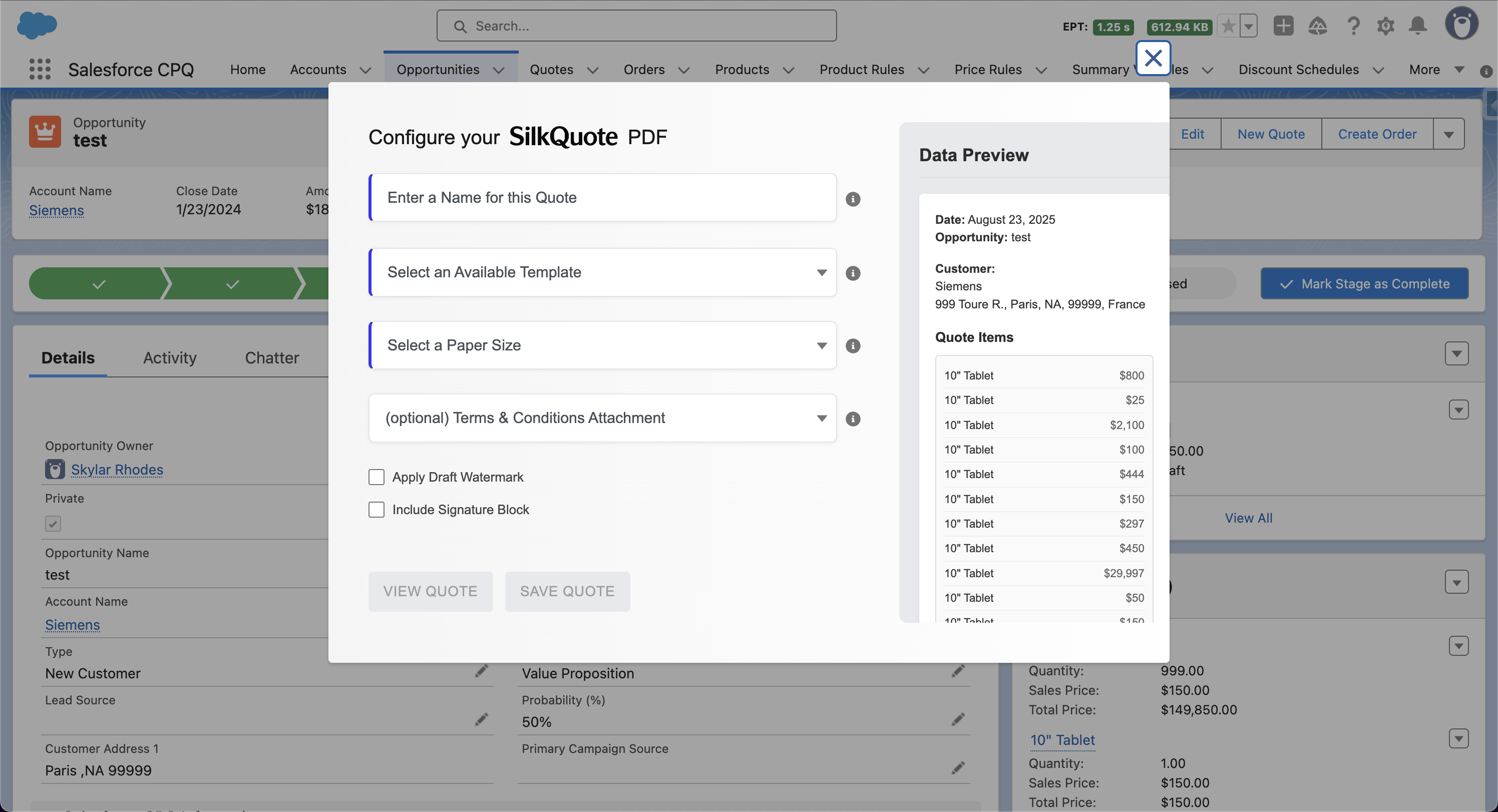
A Salesforce quote tool solves this by generating the document directly from Opportunity data. SilkQuote is purpose-built for this: install it from the AppExchange, configure a template, and reps can generate a branded PDF quote from any Opportunity in one click, without leaving Salesforce.
What a Salesforce Quote Tool Does
At its core, a quote tool for Salesforce connects your deal data to a document output. SilkQuote does this by:
- Pulling fields automatically from the Opportunity, Account, Contact, and Opportunity Product records
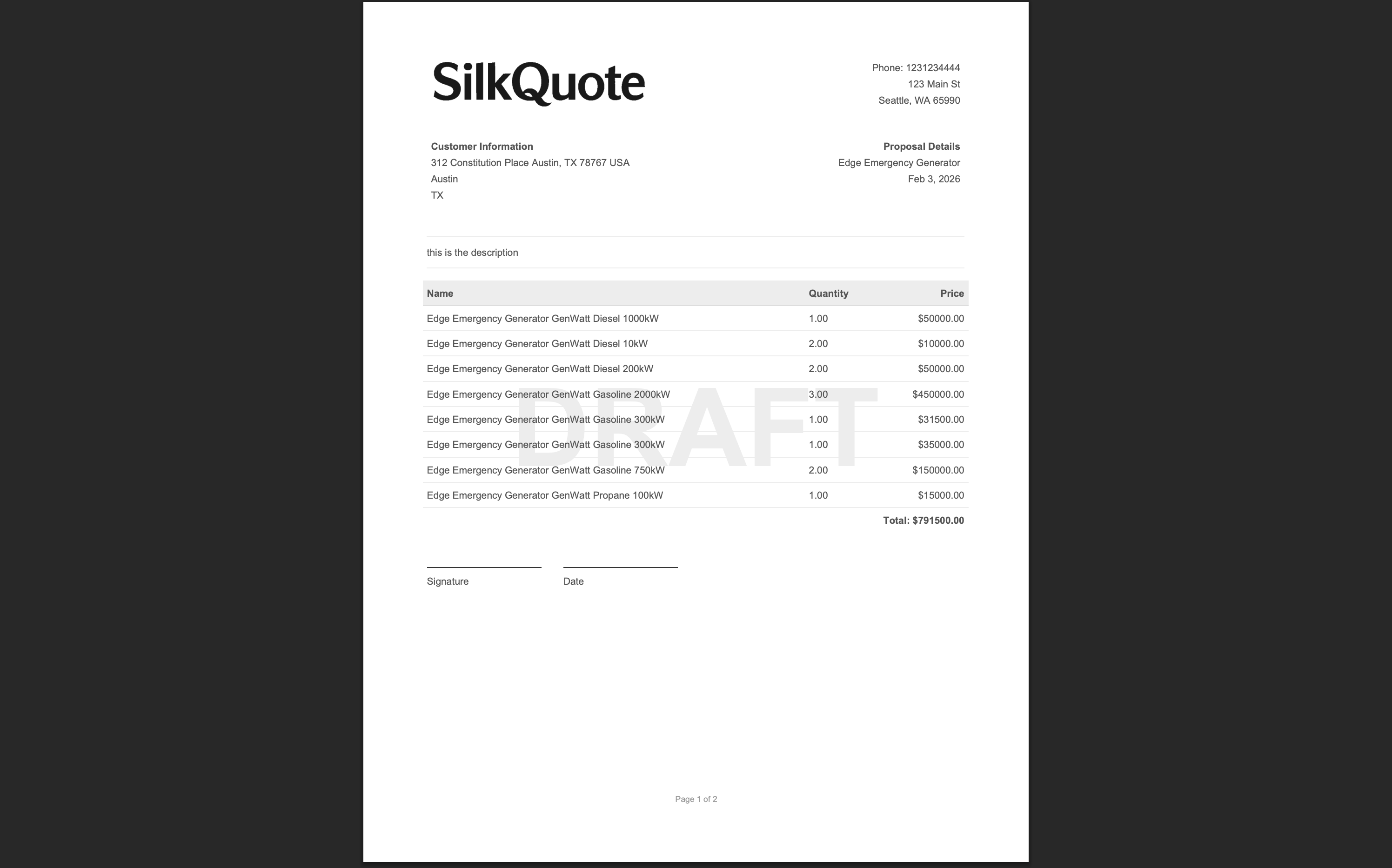
- Rendering a PDF using a pre-configured template that controls layout, branding, and field order
- Delivering the document as an instant download, with no manual formatting or data entry required
The result is a professional, on-brand quote that reflects the exact data in Salesforce at the moment of generation. No copy-paste, no stale pricing, no formatting inconsistencies.
Key Features of SilkQuote as a Salesforce Quote Tool
Template-based output. Every quote is generated from a Salesforce quote template that you configure once and reuse across all deals. Templates control which fields appear, in what order, and how the document looks. See Salesforce Quote Template: How to Build and Customize Yours for the full setup guide.
Field mapping from any Opportunity field. Map standard or custom fields from Opportunity, Account, Contact, or Opportunity Products to any section of the quote. You are not limited to a fixed set of native fields.
Multiple templates with auto-selection. Create separate templates for different deal types (new business, renewals, specific product lines) and configure rules to auto-select the right template based on Opportunity field values.
Full branding control. Set a logo (via Salesforce Static Resources), accent color, and paper size per template. Each template can carry its own branding, which is useful for companies managing multiple brands or subsidiaries.
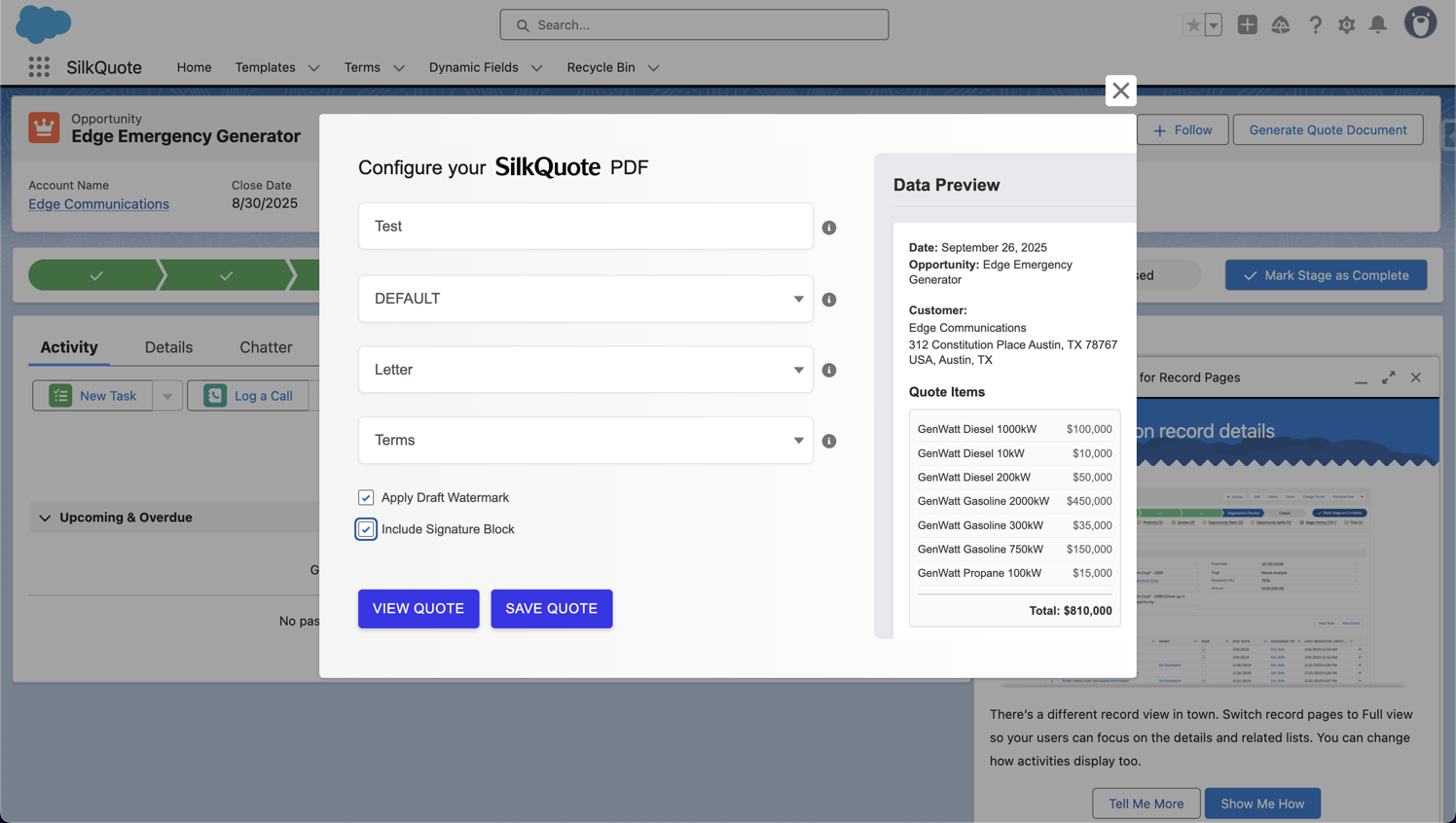
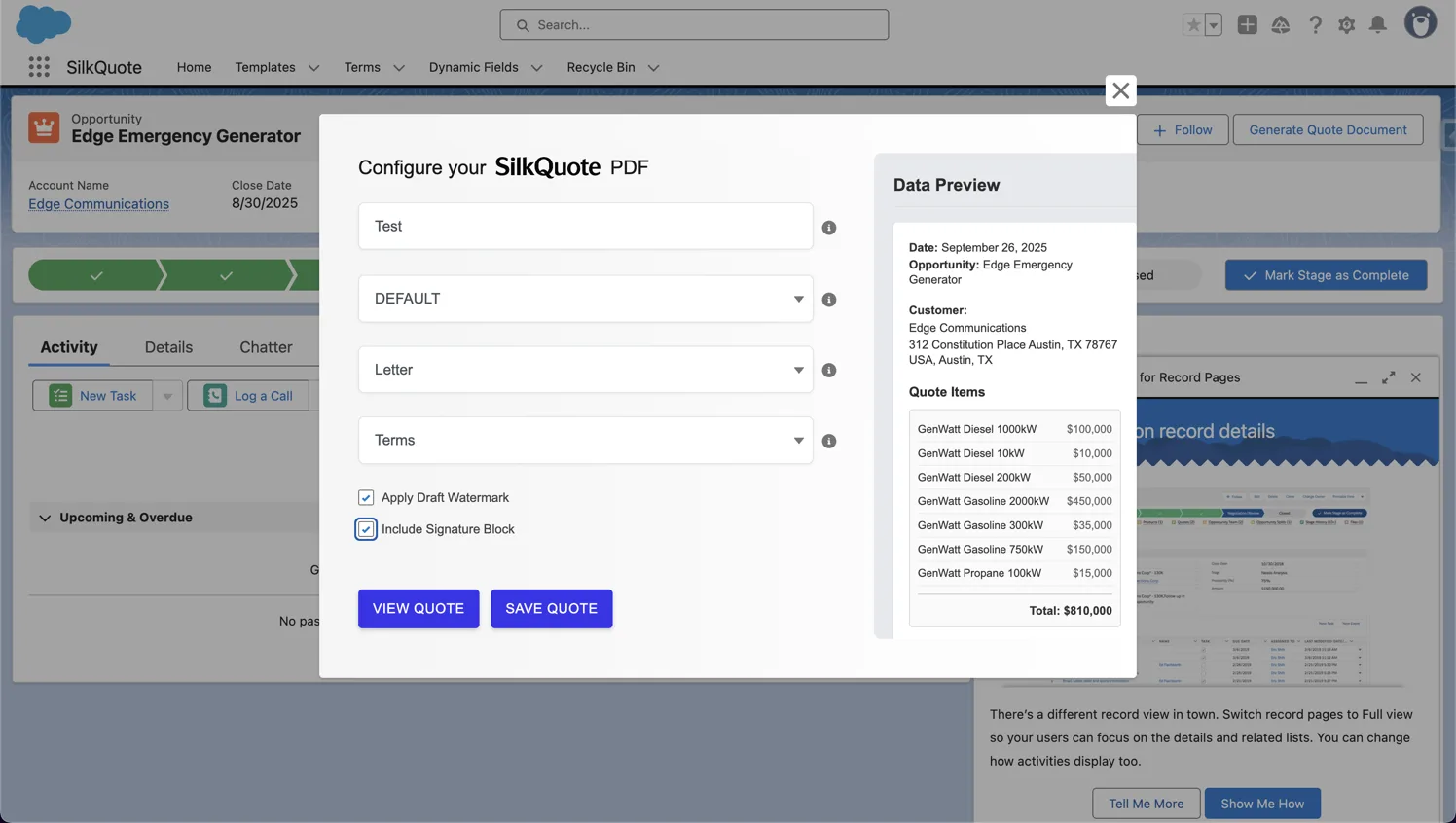
One-click generation from the Opportunity. Reps open the Opportunity, click the SilkQuote button, select a template, and download the PDF. No navigation outside of Salesforce required.
Conditional field rendering. Fields can be configured to render only when a condition is met. For example, show the Discount row only when Discount__c > 0. This keeps output clean regardless of how complete the Opportunity data is.
How SilkQuote Improves Sales Efficiency
The efficiency gain from a dedicated quote tool is immediate and measurable.
Quote creation time drops from minutes to seconds. Reps no longer open a document, find the template, look up deal details, and fill in fields manually. The quote is generated from data that already exists in Salesforce.
Consistent output across the team. Every rep generates from the same template. Formatting, branding, and field ordering are identical across all quotes. A new rep produces the same quality document as a ten-year veteran.
No data entry errors. Pricing, contact information, and deal terms come directly from Salesforce fields. There is no opportunity for transcription errors or outdated numbers.
Reps stay in Salesforce. Context switching between a CRM and a document tool adds friction and time. SilkQuote keeps the entire workflow inside the Opportunity record.
Setting Up SilkQuote
The setup process has three steps:
-
Install from the AppExchange. See Install SilkQuote for the full walkthrough. Installation takes a few minutes and requires admin access.
-
Build a template in the Configuration Manager. Open the SilkQuote Configuration Manager from the App Launcher and create your first template. Map fields from Opportunity, Account, Contact, and Opportunity Products to the sections you want to appear in the PDF. See Configure Template Sections & Fields for detailed field mapping documentation.
-
Generate from any Opportunity. Once the template is saved, reps can open any Opportunity, click the SilkQuote button, and generate a quote. See Salesforce Quote Generator for how the generation dialog works.
SilkQuote vs. Native Salesforce Quoting
Salesforce includes a native quoting feature, but it has significant structural and functional limitations:
| Native Salesforce Quotes | SilkQuote | |
|---|---|---|
| Generates from | Quotes object | Opportunity directly |
| Custom branding | Limited | Full control: logo, colors, fonts |
| Conditional fields | No | Yes |
| Multiple templates | No | Yes, with auto-selection rules |
| Custom fields | Limited | Any field from any related object |
| Setup | Admin-heavy, Visualforce or HTML | Point-and-click, no code |
| CPQ required | Integrates with CPQ | Not required |
The native Quotes object creates an additional record that must stay in sync with the Opportunity, a source of friction for reps and admins alike. SilkQuote skips that step entirely by reading Opportunity data at generation time.
Common Challenges and How SilkQuote Solves Them
Reps using different quote formats. When each rep builds their own document, output quality varies widely. SilkQuote enforces consistency: templates are admin-managed, and every generated quote follows the same structure.
Outdated pricing in manually built quotes. A rep who copies last quarter’s quote into a new document and forgets to update the price creates a liability. SilkQuote pulls pricing fields live from the Opportunity at the moment of generation. There is no stale source to copy from.
Quotes that take too long to produce. When building a quote requires opening external tools, the process slows the sales cycle. SilkQuote brings generation inside Salesforce and reduces the time to a finished document to a single click.
Templates that don’t match company branding. Generic or inconsistent quote documents create a weak impression. SilkQuote templates are fully branded with your logo and color scheme, so every document represents the company accurately.
Next Steps
A Salesforce quote tool is an application that generates professional quote documents from data in your Salesforce org. SilkQuote pulls fields from the Opportunity, Account, Contact, and Opportunity Product records and renders them into a branded PDF, without manual data entry or external design tools.
Native Salesforce quoting requires the Quotes object, which adds an extra record and sync step. SilkQuote generates directly from the Opportunity, so reps never leave the record they are already working in. SilkQuote also offers full branding control, conditional fields, and multiple templates, none of which are available in native quote templates.
Yes. SilkQuote is independent of Salesforce CPQ. It works with standard Opportunities and Opportunity Products. If you already use CPQ, SilkQuote can generate output from CPQ-managed Opportunities, but CPQ is not required.
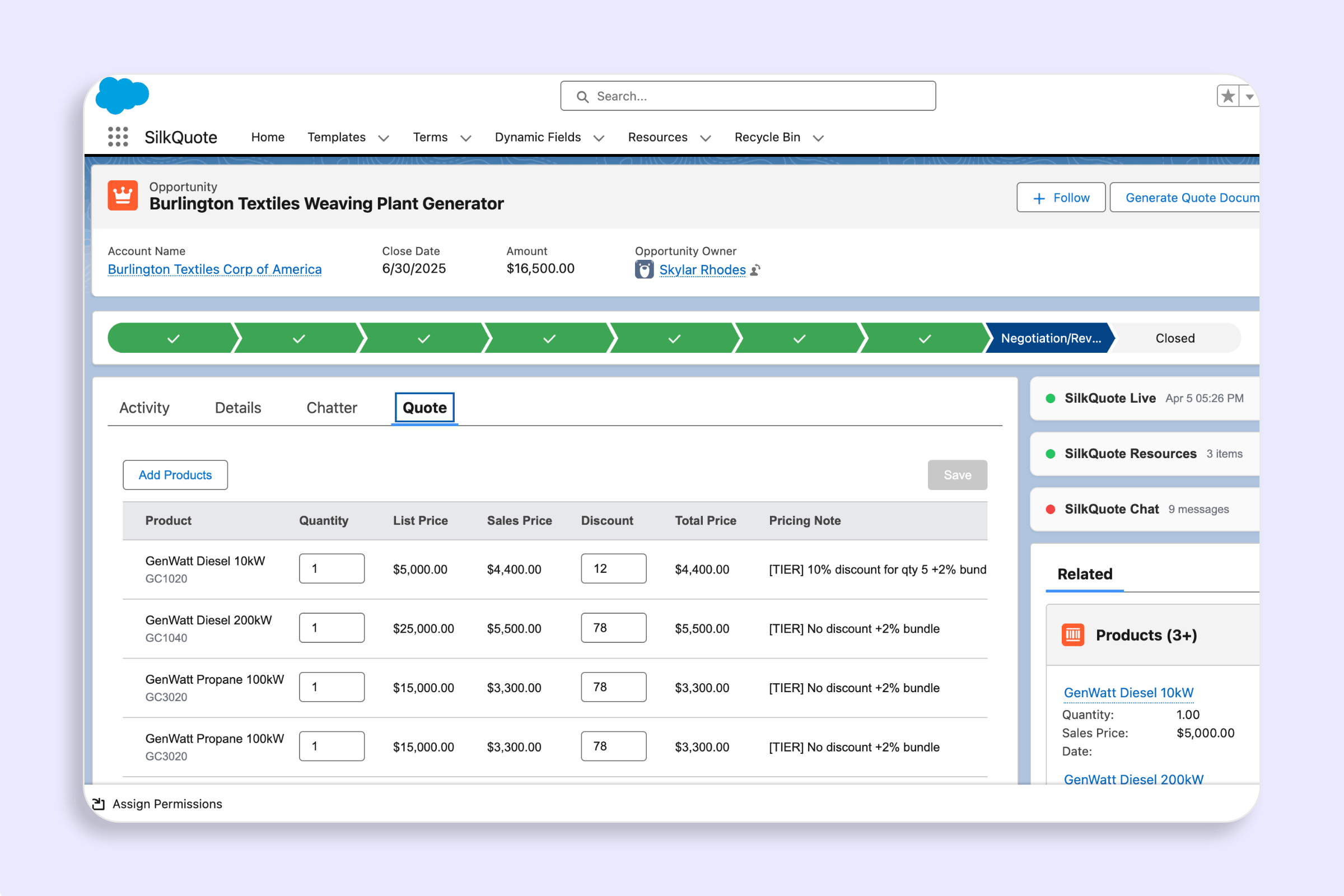
Yes. SilkQuote maps Opportunity Product fields into a configurable line items table. You choose which columns to display (product name, quantity, unit price, description, total) and in what order. Subtotals and grand totals pull from Opportunity amount fields.
Most admins complete the initial setup (install, first template, and first generated quote) in under an hour. Installing from the AppExchange takes a few minutes. Building a template in the Configuration Manager uses point-and-click field mapping with no code required.