
E-signature is one of the most requested features in any quoting discussion. The instinct is understandable: you want prospects to formally acknowledge agreement before a deal is considered closed. But e-signature on a quote and e-signature on a contract are not the same thing, and treating them identically adds friction without adding the protection you think it does.
This guide covers the options for capturing prospect acceptance on Salesforce quotes: SilkQuote’s native acceptance flow, formal e-signature integration via DocuSign or similar tools, and when each approach makes sense.
Quote Acceptance vs. E-Signature: What Is the Difference?
Quote acceptance is a commercial acknowledgment. The prospect confirms that they agree to move forward under the terms and pricing presented in the quote. It signals buying intent and triggers downstream processes (contract generation, order creation, internal notifications). In most B2B contexts, quote acceptance is sufficient to begin fulfillment.
E-signature is a legal instrument. It captures the signer’s identity, authenticates the signature, and creates an audit trail that satisfies legal signature requirements. E-signature is appropriate for binding contracts, MSAs, SOWs, and other documents with legal enforceability requirements.
For the quoting stage, most teams need acceptance, not e-signature. Adding a full DocuSign workflow to a sales quote slows down the buying process, requires the prospect to create an account or receive a separate email, and introduces friction that often delays the close without adding meaningful protection.
SilkQuote Native Acceptance: How It Works
SilkQuote includes a native acceptance flow for quotes delivered via the hosted share link.
When a rep shares a quote using SilkQuote’s link sharing:
- The prospect receives a link in their email (or via any channel)
- They open the link in any browser (no Salesforce account required)
- They can view the full PDF quote
- At the bottom of the viewer, they see Accept and Decline buttons
- Clicking Accept logs an activity on the Opportunity: “Quote Accepted” with a timestamp
- The Opportunity can be automatically updated (stage, field value) via a connected Flow
This entire process takes the prospect 60 seconds and requires nothing beyond a browser. It removes the friction of back-and-forth email confirmations while capturing a clear record of commercial acceptance inside Salesforce.
When Native Acceptance Is the Right Choice
Use SilkQuote’s native acceptance for:
- Sales proposals and quotes where you need buying intent confirmation before proceeding to contract
- SMB and transactional deals where a formal contract may not be required at all
- Internal approvals or acknowledgments where the speed of acceptance matters more than the formality
- Any scenario where the prospect is not technically sophisticated and would be confused by a DocuSign email
Integrating Formal E-Signature for Contracts
When a deal requires a binding signed contract after the quote is accepted, SilkQuote connects to Salesforce Flow to trigger an e-signature workflow.
Connecting to DocuSign
DocuSign has a native Salesforce integration available on the AppExchange. The integration exposes Salesforce Flow actions that can send envelopes, track signing status, and update records when documents are signed.
To connect quote acceptance to DocuSign contract generation:
- Configure SilkQuote acceptance to trigger a Flow event on the Opportunity
- In the Flow, add a condition: check that Stage equals “Proposal Accepted” (or whichever stage you set on acceptance)
- Use a Get Records element to retrieve the Contract template (or generate one using your document generation tool)
- Add the DocuSign Send Envelope Flow action with the appropriate recipient and document
- The prospect receives a DocuSign email for the formal contract signature
- When signed, DocuSign updates the Opportunity or Contract record in Salesforce
This creates a clean two-stage flow: SilkQuote captures commercial acceptance quickly; DocuSign captures legal signature for the formal contract.
Connecting to Conga Sign
Conga Sign (part of the Conga platform) works similarly via Salesforce Flow. If your organization uses Conga Composer for contract generation, Conga Sign is a natural companion.
To connect SilkQuote acceptance to Conga Sign:
- On SilkQuote acceptance, trigger a Flow
- The Flow calls Conga Composer to generate the contract PDF from the accepted Opportunity
- The Flow then calls Conga Sign to initiate the signing envelope with the generated contract
- The prospect receives the contract for signature
Using Salesforce’s Built-In E-Signature (eSignature for Salesforce)
Salesforce offers its own native e-signature solution in some editions. If your org has this enabled, the Flow integration follows the same pattern: trigger on SilkQuote acceptance, generate the contract document, initiate the signature request.
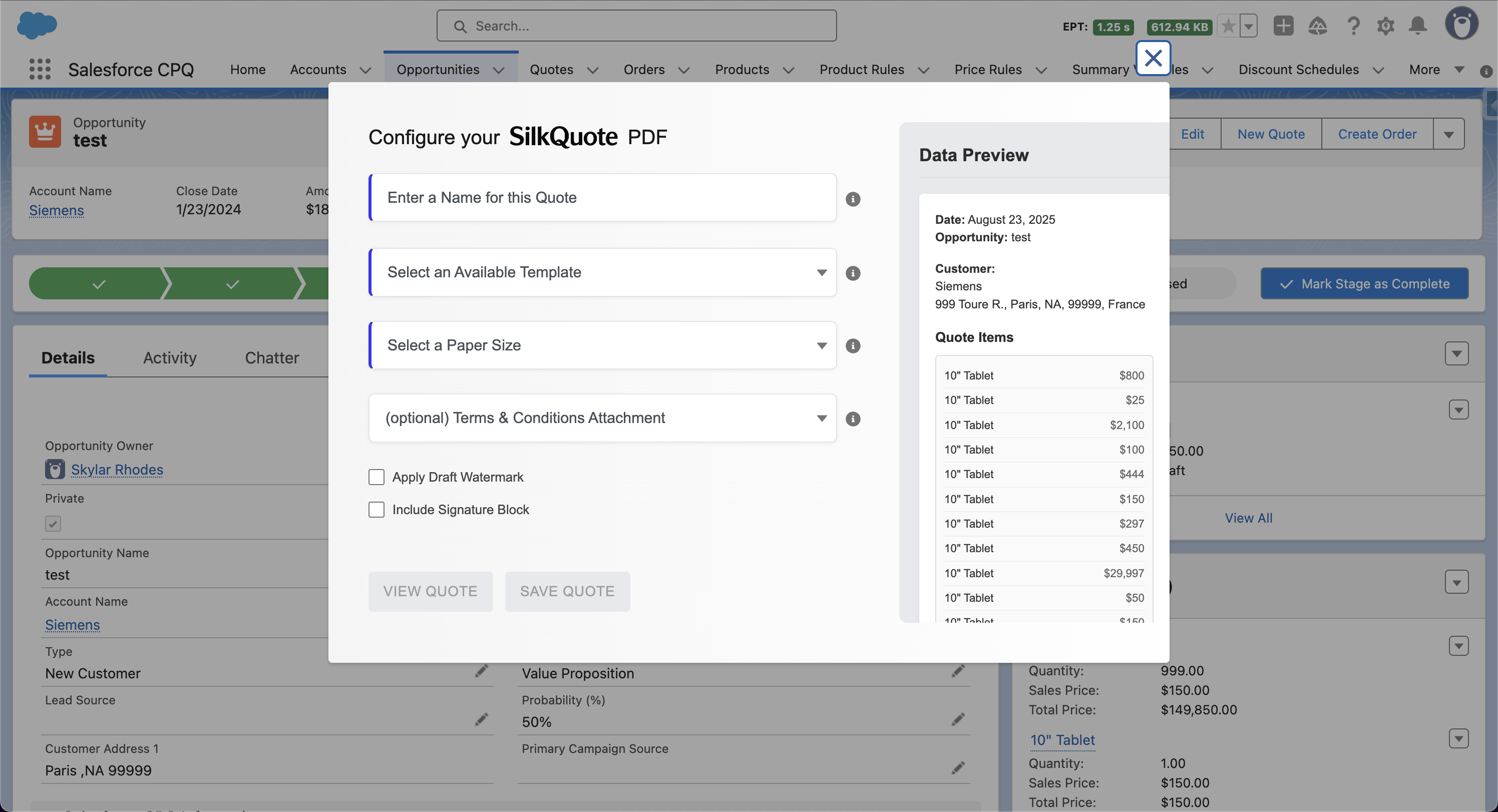
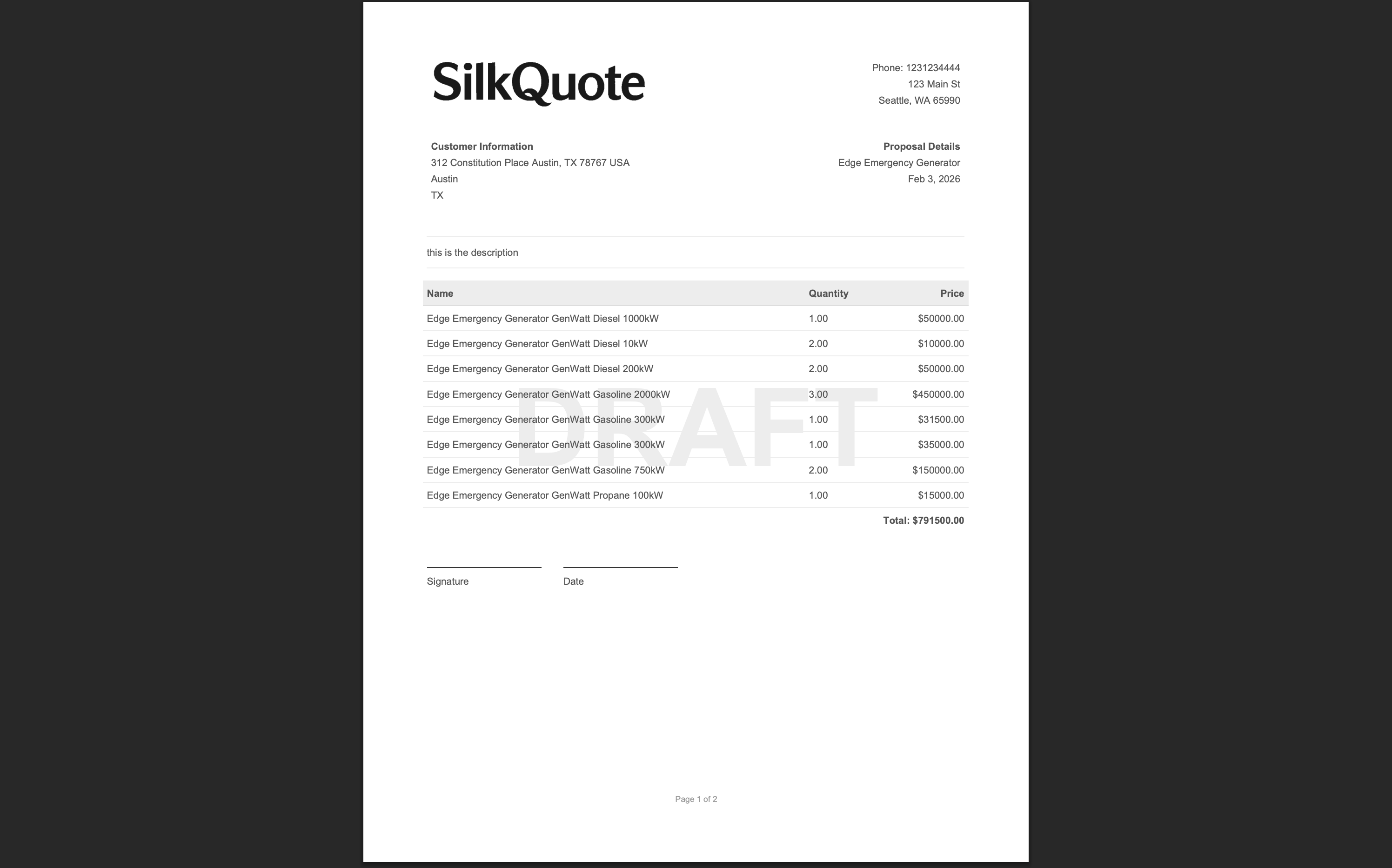
Adding a Signature Block to the Quote PDF
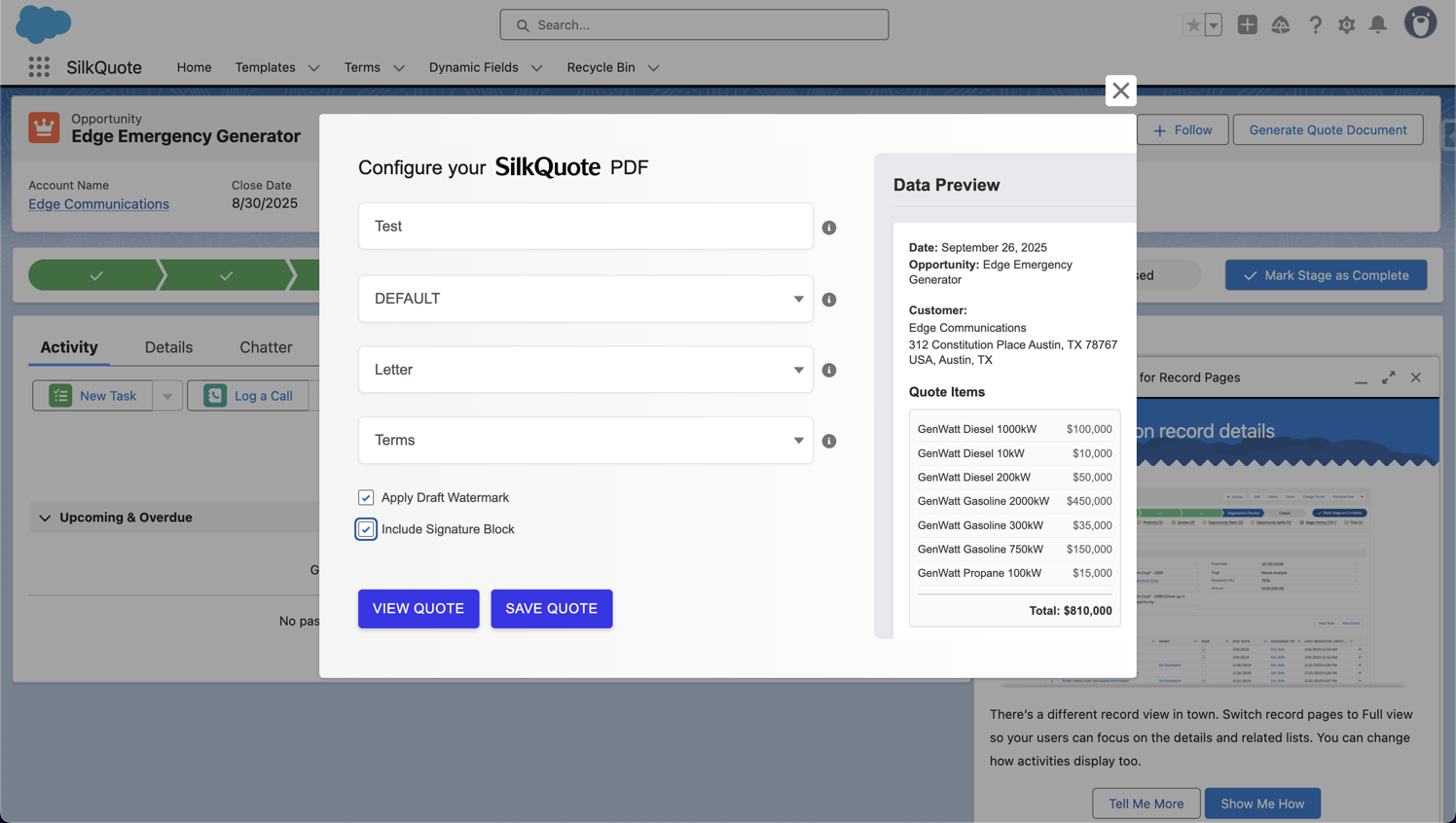
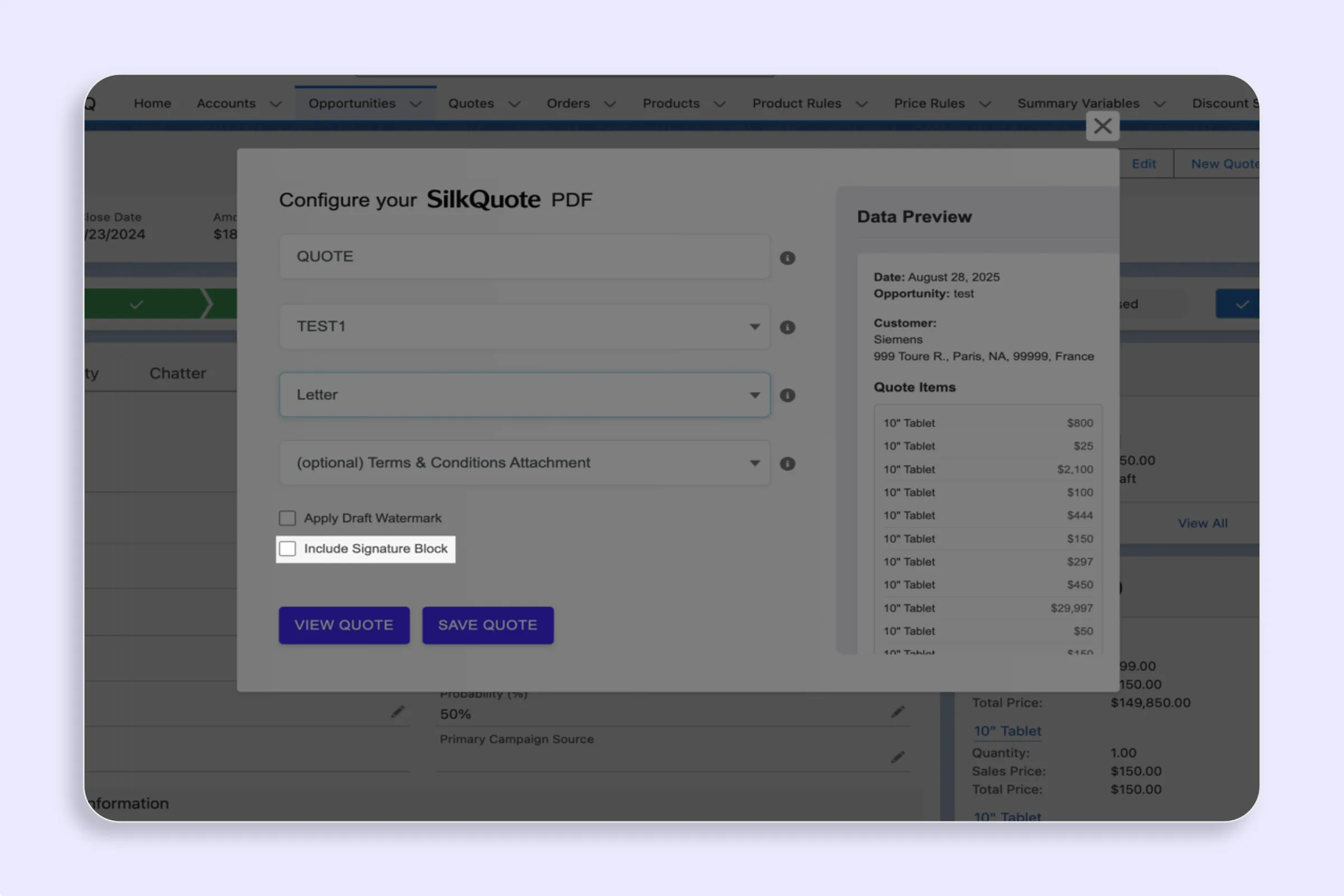
Some organizations want a signature line printed on the quote PDF itself, even when using a separate e-signature step. SilkQuote supports a Signature Block section in the template.
To add a signature block:
- Open your template in the SilkQuote Configuration Manager
- Add a Signature Block section
- Configure the signer fields (name, title, company, date)
- Save the template
The signature block prints at the bottom of the quote PDF. Note that a printed signature block on a PDF is a placeholder for manual signature; it does not capture an e-signature. For electronic capture, use the native acceptance flow or integrate with DocuSign/Conga Sign as described above.
Best Practice: Match the Acceptance Method to the Deal Type
| Deal Type | Recommended Acceptance Method |
|---|---|
| Transactional / SMB | SilkQuote native acceptance (click to accept) |
| Standard B2B proposal | SilkQuote acceptance + optional DocuSign contract |
| Enterprise or legal contract | SilkQuote acceptance → Trigger DocuSign for MSA/contract |
| Internal acknowledgment | SilkQuote acceptance flow |
For more on optimizing the overall quoting workflow, see Salesforce quoting best practices and the Salesforce PDF quote generation guide.
Install SilkQuote free from the AppExchange and start capturing quote acceptance inside Salesforce today.
SilkQuote includes a native prospect acceptance flow: when a rep shares a quote link, the prospect can click to accept or decline directly in their browser. This captures formal acceptance without requiring a full e-signature service. For legally binding e-signatures on contracts, SilkQuote connects to Salesforce Flow to trigger downstream e-signature workflows via DocuSign or similar.
Quote acceptance is a commercial acknowledgment: the prospect confirms they agree to proceed under the quoted terms. E-signature is a legal instrument that satisfies signature requirements on binding contracts. Many sales teams need quote acceptance, not a full e-signature, at the quoting stage.
Yes, indirectly. When a prospect accepts a SilkQuote quote, the acceptance triggers a Salesforce Flow event. You can configure that Flow to call the DocuSign Salesforce integration and initiate a DocuSign envelope for the formal contract, passing the Opportunity data and quote PDF.
Yes. Every quote acceptance logs as an activity record on the Opportunity, including timestamp, the accepted quote version, and the prospect's action. This provides a record of commercial acceptance within Salesforce.
Most sales teams use click-to-accept on quotes (fast, frictionless, no account required for the prospect) and formal e-signature on contracts (legally binding, audit trail, full name capture). SilkQuote handles the quote acceptance stage; connect it to DocuSign or Conga Sign for the contract stage.