In enterprise B2B sales, deals often move through a pre-contract stage before a binding agreement is executed. A Memorandum of Understanding (MOU) formalizes the intent to proceed, documents key terms, and gives both parties a shared reference point while final contracts are being negotiated. Attached to or referenced by the MOU is a quotation — a formal document that captures the pricing and scope that the parties have agreed in principle.
This page covers what an MOU quote is, how it differs from a standard sales quotation, what it should include, and how enterprise sales teams can generate MOU quotations from Salesforce efficiently.
What Is an MOU and Why Does It Need a Quote?
A Memorandum of Understanding is a non-binding agreement between two or more parties that documents a shared understanding of intent, responsibilities, and terms before a formal contract is signed. MOUs are commonly used in:
- Enterprise software and services deals where implementation timelines are long
- Partnership agreements between organizations with ongoing commercial relationships
- Government and institutional procurement where formal contracting processes are lengthy
- Multi-phase projects where early phases need to begin before final contract terms are agreed
The MOU itself typically does not specify detailed pricing — it describes the relationship and broad scope. The accompanying quotation fills in the commercial detail: what is being provided, at what price, under what payment terms, and on what timeline.
An MOU quote gives both parties a clear record of the commercial terms that informed the decision to proceed. It serves the deal process, the finance team, and (if disputes arise) the legal review.
How an MOU Quote Differs From a Standard Sales Quote
A standard sales quotation is produced late in the deal cycle to confirm pricing and request customer acceptance. It is the final commercial document before purchase. An MOU quote is produced earlier — at the intent-to-proceed stage — and typically has different characteristics:
| Dimension | Standard Sales Quote | MOU Quote |
|---|---|---|
| Deal stage | Close to commitment | Pre-contract, intent stage |
| Pricing status | Finalized and agreed | Agreed in principle, subject to contract |
| Binding nature | Typically binding on acceptance | Typically indicative |
| Scope detail | Confirmed scope | Defined scope with assumptions |
| Recipient action | Accept or decline | Review and countersign MOU |
| Version history | Usually one final version | May have multiple iterations |
The practical implication is that an MOU quote needs to be clear about its own status. The document should note that pricing is indicative pending final contract execution, specify the assumptions on which pricing is based, and define a validity period after which revised pricing may apply.
What to Include in an MOU Quote
Parties and deal reference
- Full legal names of both parties
- Reference number tying the quote to the MOU
- Date of issue and validity period
Scope of supply
- Description of products, services, or deliverables
- Quantities, durations, or other volume parameters
- Clear statement of what is excluded from scope
Pricing structure
- Unit pricing or fixed-fee amounts for each component
- Total indicative contract value
- Payment schedule or billing milestones
- Currency and applicable taxes
Assumptions and dependencies
- Conditions on which pricing is based (e.g., resource availability, customer-provided inputs, timeline)
- Factors that would trigger revised pricing (scope change, timeline extension, third-party cost changes)
Terms and conditions
- Payment terms
- Validity and expiry of the quotation
- Relationship of the quote to the MOU (indicative, not binding until contract execution)
- Governing law reference consistent with the MOU
Version and revision history
- If the quote has been revised during MOU negotiation, note the version number and summary of changes from prior versions
Managing MOU-Stage Deals in Salesforce
Enterprise sales teams managing MOU-stage deals in Salesforce typically track the Opportunity from the point at which intent to proceed is established — well before formal contract execution. This gives the CRM a complete view of the deal timeline and ensures that the quote documents are attached to the record where they can be accessed by sales, legal, and finance.
The practical setup for MOU quoting in Salesforce:
- Create or advance the Opportunity to an MOU or pre-contract stage
- Add products as Opportunity line items with agreed-in-principle pricing
- Note assumptions and exclusions in Opportunity fields or a related record
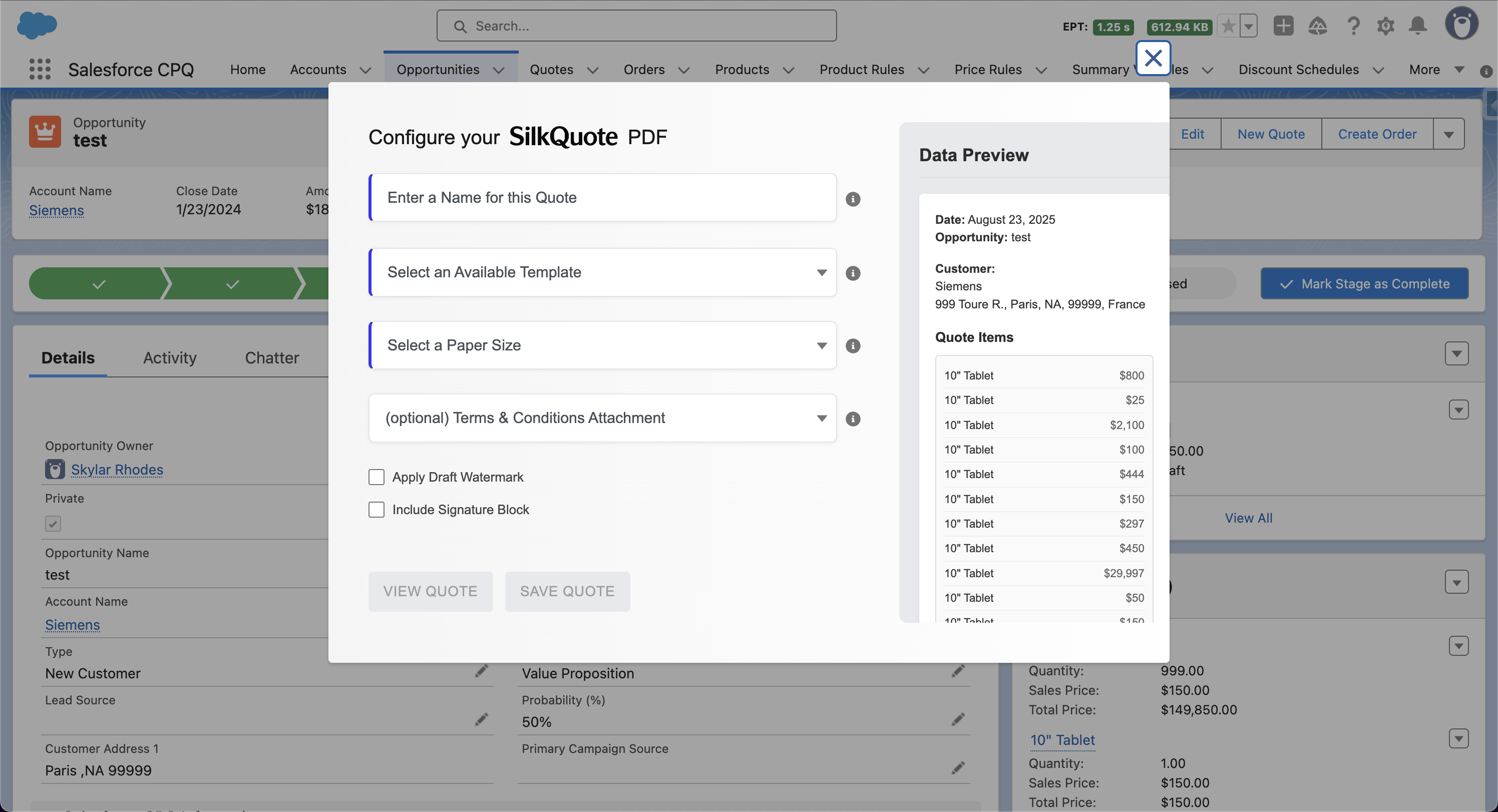
- Generate a quote PDF using a quoting tool that maps the Opportunity data to the MOU quote format
- Share the quote with the counterparty for review alongside the MOU document
- Attach the signed or acknowledged version to the Opportunity for record
SilkQuote handles the document generation step. Templates for MOU quotes can include custom sections — indicative pricing disclaimers, assumption blocks, revision history tables — that are not part of a standard sales quote template. The Salesforce quote templates page covers how to configure conditional sections and custom content blocks in the template builder.
Version Control for MOU Quotations
MOU negotiations often involve multiple rounds of pricing revision before both parties are satisfied. Managing quote versions correctly prevents confusion about which pricing iteration is current.
Best practices for MOU quote version control:
- Assign a version number to each quote iteration (v1.0, v1.1, v2.0)
- Document what changed between versions in the revision history section
- Attach all versions to the Salesforce Opportunity so the negotiation history is preserved
- Clearly mark superseded versions as “Draft — Superseded” to prevent the wrong document being referenced in the MOU
SilkQuote attaches each generated PDF to the Opportunity as a separate Content Document and flags PDFs as stale when the underlying Opportunity data has changed — providing a clear signal when a regeneration is needed.
From MOU to Formal Contract
The transition from MOU to executed contract typically involves converting the indicative quote into a final binding quotation or incorporating the commercial terms directly into the contract. At this point:
- Remove the indicative pricing disclaimer
- Confirm all assumptions have been validated
- Update any pricing that changed during negotiation
- Produce a final version with a clear “Final — Binding” designation
For enterprise deals tracked in Salesforce, this transition is also the point at which the Quote-to-Cash process moves from pre-contract into the contract and order stage. The Salesforce Quote-to-Cash process guide covers the full downstream process from the quote through revenue recognition.
Generate MOU Quotes From Salesforce
SilkQuote is a free, native Salesforce quoting tool that generates branded PDF quotations from Opportunity data. For MOU-stage deals, you can configure templates with indicative pricing notices, assumption blocks, and version history sections — then generate polished documents with a single click.
Install SilkQuote from the AppExchange and start generating professional MOU quotations from Salesforce.
Frequently Asked Questions
What is an MOU quote?
An MOU quote is a formal pricing document attached to or referenced by a Memorandum of Understanding. It documents the agreed or proposed pricing, scope, and commercial terms at the pre-contract stage of a deal, before a binding agreement is executed.
Is a quotation attached to an MOU legally binding?
This depends on the language in the MOU and the quotation itself. Most MOUs are non-binding in nature — they document intent to proceed rather than final obligations. A quotation referenced in an MOU is typically indicative unless both parties explicitly agree in writing that the pricing terms are binding. Always have legal counsel review the MOU and associated quotation for binding intent.
What should an MOU quote include?
An MOU quote should include: the parties involved, the scope of services or products being quoted, pricing structure (unit pricing, total value, billing schedule), validity period, assumptions and exclusions, and a note on the relationship between the quote and the MOU (indicative vs. binding).
How do enterprise sales teams manage MOU quotes in Salesforce?
Enterprise teams typically create a Salesforce Opportunity to track the deal at the MOU stage, add products with estimated or agreed pricing as Opportunity line items, and generate a formal quote PDF using a quoting tool like SilkQuote. The quote is attached to the Opportunity record for audit trail and shared with the counterparty for review.
Can SilkQuote generate MOU quotations from Salesforce?
Yes. SilkQuote generates branded PDF quotations from Salesforce Opportunity data. For MOU-stage deals, you can create an Opportunity with the proposed scope and pricing as line items, add MOU-specific terms sections in the quote template, and generate a formal PDF in seconds. The document attaches to the Opportunity and can be shared via a hosted link.