
Free Quotation Generator
Enter your company and client details, add line items with quantities and prices, and download a professional PDF quote in minutes. No account, no sign-up, no software to install. Your company details are saved in your browser so you never have to type them again.
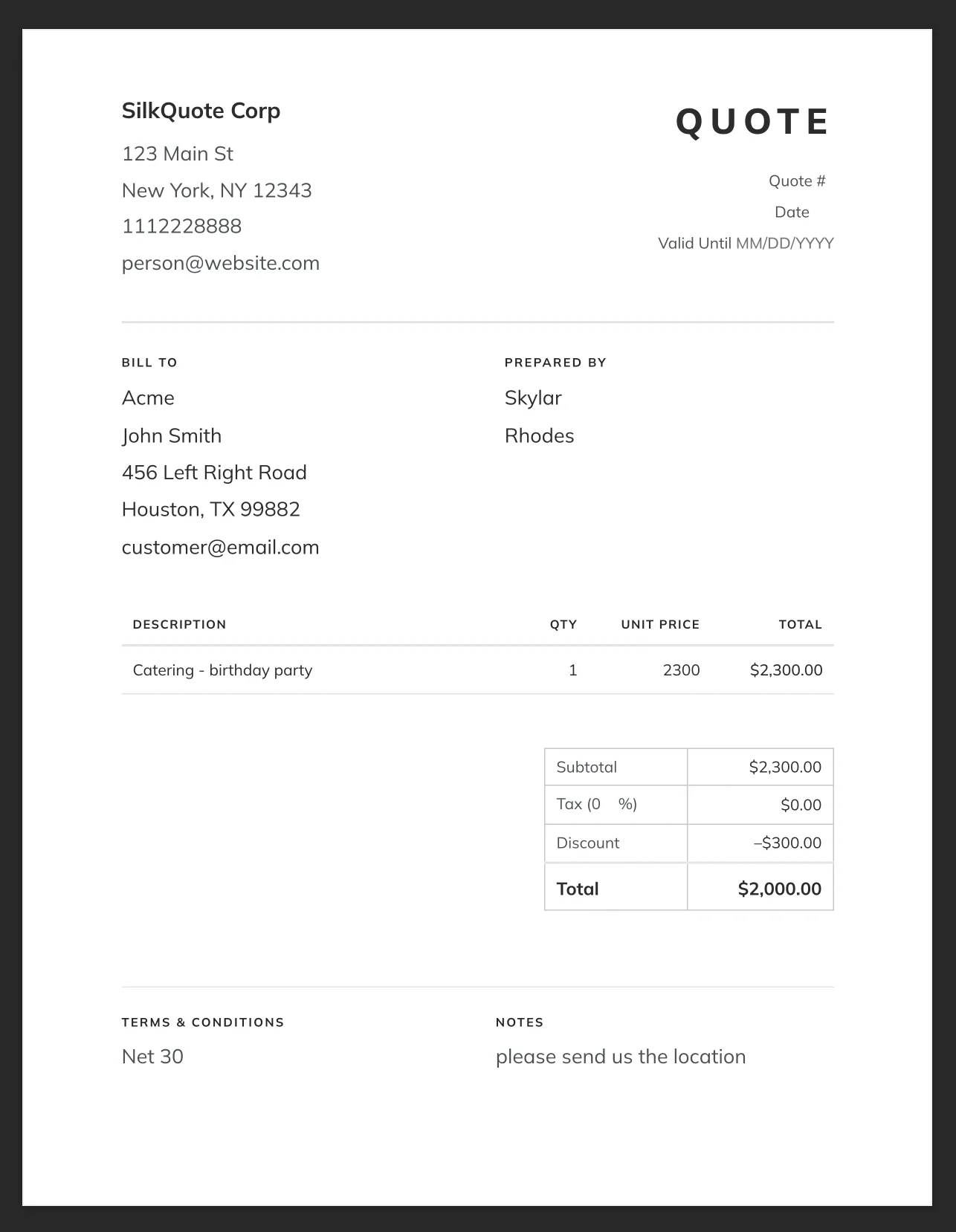
Bill To
Prepared By
| Description | Qty | Unit Price | Total |
|---|
| Subtotal | $0.00 |
| Tax (0%) | $0.00 |
| Discount | –$0.00 |
| Total | $0.00 |
How to create a quotation in 5 steps
- Enter your company name, address, phone, and email in the top-left of the quote.
- Add the client's billing information in the "Bill To" section.
- Click "+ Add Line Item" for each product or service and enter a description, quantity, and unit price. Totals calculate automatically.
- Set a tax rate, any discount, and a valid-until date.
- Click "Download / Print PDF" and choose "Save as PDF" in your browser's print dialog. No account or software required.
What should a professional quotation include?
A professional quotation should include your company name and contact information, the client's name and billing address, a unique quote number and issue date, a valid-until date, an itemized list of products or services with quantities and unit prices, a subtotal, any applicable tax and discounts, a grand total, and your payment terms or notes. Clear, itemized quotes reduce disputes and build trust before any work begins.
Quotation vs estimate vs invoice vs proposal
A quotation is a fixed-price commitment; once accepted, the price is binding. An estimate is an approximate cost that may change as scope becomes clearer. An invoice is a payment request sent after work is completed or goods are delivered. A proposal is a broader document covering approach, methodology, and pricing for complex engagements, often leading to a formal quotation once scope is agreed. For most business transactions, a clear quotation followed by an invoice is all you need.
When to upgrade from a free quotation tool to quoting software
A free tool works well for occasional, one-off quotes. When you find yourself re-typing the same client information repeatedly, losing track of which quotes are open or accepted, dealing with inconsistent pricing across your team, or needing customers to accept digitally, it's time to move to dedicated quoting software. SilkQuote for Salesforce handles all of this for free: it pulls your CRM data automatically, lets you build reusable quote templates, and gives customers a hosted page where they can review and accept in one click.
Frequently asked questions
How do I create a quotation online for free?
Use the generator at the top of this page. Fill in your company name and contact details, enter the client's billing address, then add line items with quantities and prices. Click "Download / Print PDF" when done. No account or sign-up required.
What is the difference between a quote and an invoice?
A quotation is a price offer sent before a sale that tells the customer what something will cost, typically valid for a set period. An invoice is sent after the work is done or goods are delivered, requesting payment for an agreed amount.
Can I add my company logo to the quote?
The free online tool uses text-based company details rather than an uploaded logo. For fully branded quotes with your logo and custom colors, SilkQuote lets you build reusable PDF templates with complete brand control inside Salesforce.
How do I download the quote as a PDF?
Click the "⬇ Download / Print PDF" button, then choose "Save as PDF" in your browser's print dialog (Chrome, Edge, Firefox, and Safari all support this). The site header, footer, and toolbar are hidden automatically so only the quote document prints.
What should a professional quotation include?
A professional quotation should include: your company name and contact information, the client's name and address, a unique quote number and date, a valid-until date, an itemized list of products or services with quantities and unit prices, a subtotal, any applicable tax and discounts, a grand total, and your payment terms or notes.
How is this different from Salesforce CPQ or SilkQuote?
This free tool is for anyone who needs a quick, one-off quote with no software. Salesforce CPQ and SilkQuote are built for sales teams using Salesforce CRM; they auto-fill quote data from your CRM records, enforce approval workflows, and let customers accept quotes online. SilkQuote is free, and Salesforce offers a free plan for up to 2 users.
What is the difference between a quotation and an estimate?
A quotation is a fixed price commitment; once accepted, both parties are bound to the agreed amount. An estimate is an approximate cost that may change as the scope of work becomes clearer. Use a quotation when you know exactly what you're delivering; use an estimate when there are unknowns that could affect the final cost.
Quoting from Salesforce? Skip the typing entirely.
SilkQuote pulls your Salesforce account info, products, and pricing into a branded PDF quote automatically, with no copy-pasting or data entry. Share a hosted quote your customer can review and accept right in Salesforce.
SilkQuote is free. Salesforce offers a free plan for up to 2 users. No credit card required.