Choosing the right Salesforce quoting tool matters more than most teams realize at the start. The tool shapes how reps interact with the quoting process, how consistent output looks across the team, and how quickly new hires can get productive. A poor choice creates friction at every stage: template maintenance burdens admins, generation requires workarounds, and the output does not match the company’s professional standards.
This page evaluates what separates effective Salesforce quoting tools from ineffective ones, explains why native tools outperform third-party middleware for most use cases, and covers SilkQuote’s specific capabilities across every dimension of the quoting workflow.
What Makes a Salesforce Quoting Tool Effective
Before evaluating any specific tool, it is worth establishing the criteria. A Salesforce quoting tool needs to deliver on six dimensions to be effective in practice:
Minimal rep training required. If reps need more than an hour of training to understand the quoting workflow, adoption will be poor. The tool should feel native to Salesforce: it should live where reps already work, use familiar UI patterns, and require as few clicks as possible.
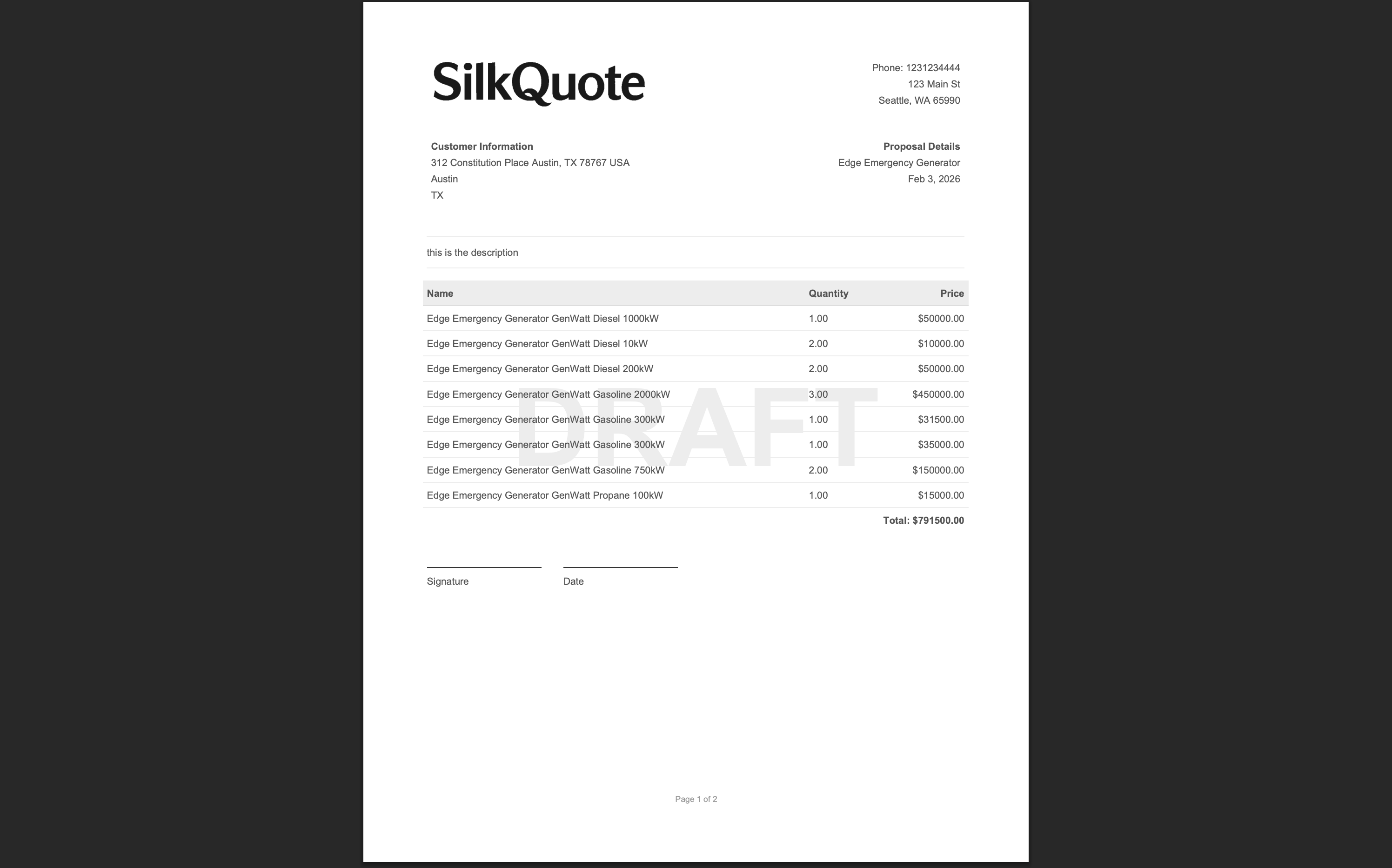
Template quality without development effort. Admins should be able to build and maintain professional quote templates without involving developers. The template should support branding, conditional sections, line item grouping, and terms without requiring code.
Reliable PDF output. The generated document should render consistently regardless of Opportunity complexity. Field values should map correctly, tables should handle varying numbers of line items, and pagination should be clean.
Data integrity. The tool should pull field values directly from Salesforce. Any tool that requires copying data from Salesforce into a separate system introduces error risk and breaks the single source of truth.
Prospect engagement tracking. After the quote is sent, the rep should be able to see whether the prospect opened the email, viewed the quote, and responded. This information drives smarter follow-up.
Reasonable total cost. For most quoting scenarios, the tool cost should scale with the value delivered. An enterprise CPQ platform is difficult to justify for a team that primarily needs a professional PDF.
Native vs. Third-Party: Why Native Matters for Salesforce Quoting
Salesforce quoting tools fall into two categories: native apps installed through the AppExchange and external tools that connect to Salesforce through an API.
Native Salesforce apps:
- Run inside Salesforce Lightning Experience
- Access Salesforce data through standard SOQL and API calls within the platform
- Generate PDFs using the org’s data without syncing to an external system
- Store generated files as Salesforce Content Documents on the record
- Respect Salesforce record sharing and visibility rules automatically
- Installed through AppExchange with standard deployment steps
External tools (API-connected):
- Run outside Salesforce as a separate web application
- Pull data from Salesforce through an API integration that requires configuration and maintenance
- Store generated files in external storage (AWS S3, the vendor’s own system, etc.)
- Require users to log into a separate application or navigate to an iframe inside Salesforce
- Data sync delays can cause stale quotes if the integration is not real-time
For the vast majority of Salesforce teams, native is the right choice. The external data sync complexity is not worth the benefit for organizations that simply need professional quote generation. Native tools are faster to implement, simpler to maintain, and produce outputs that behave like standard Salesforce records.
SilkQuote is fully native. It runs inside Lightning Experience, generates PDFs in-org, and saves files as standard Salesforce Content Documents. There is no external system to maintain, no API integration to troubleshoot, and no separate login for reps.
SilkQuote as a Salesforce Quoting Tool: Feature Overview
SilkQuote covers the complete quoting workflow from template design through prospect acceptance.
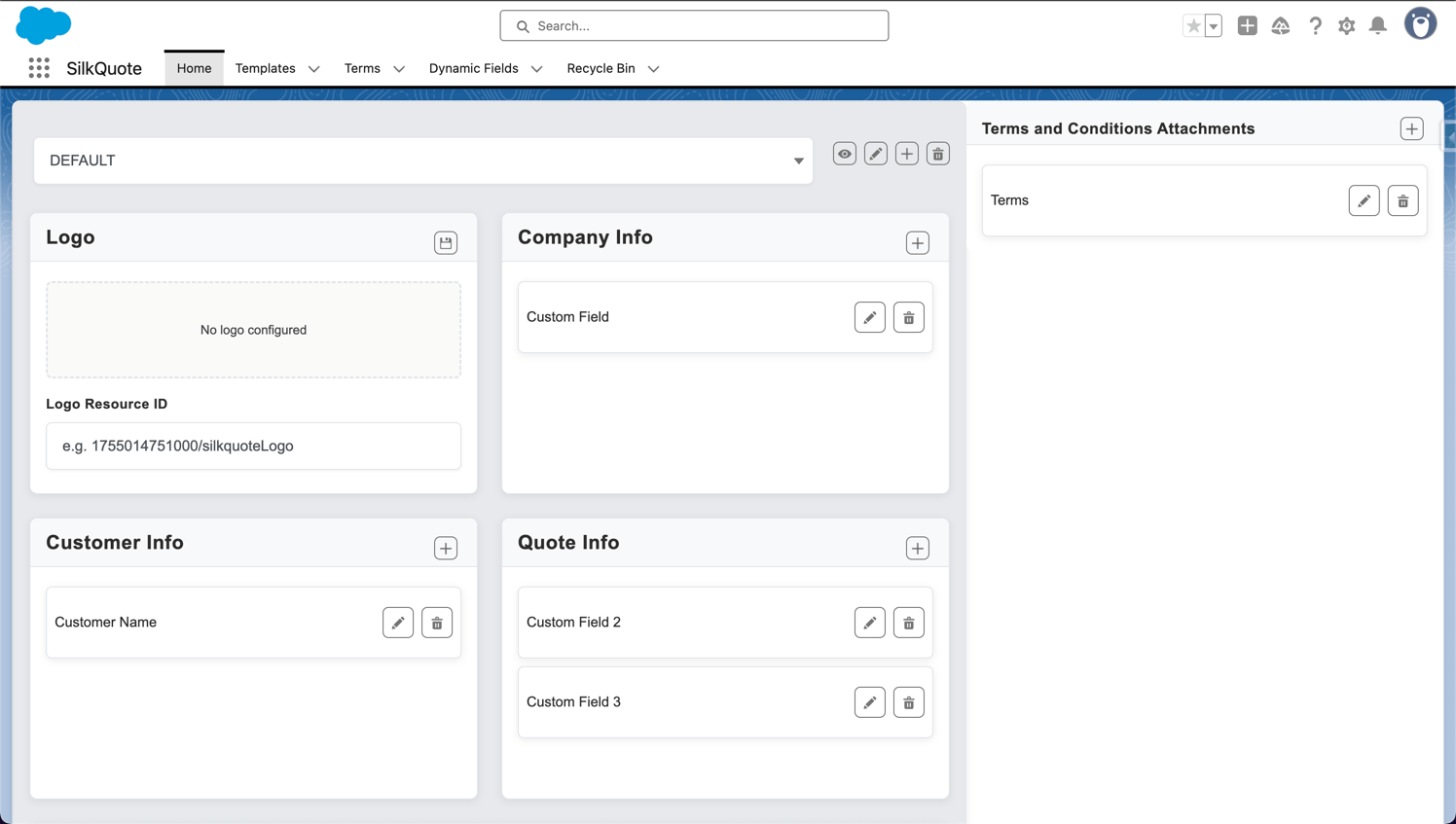
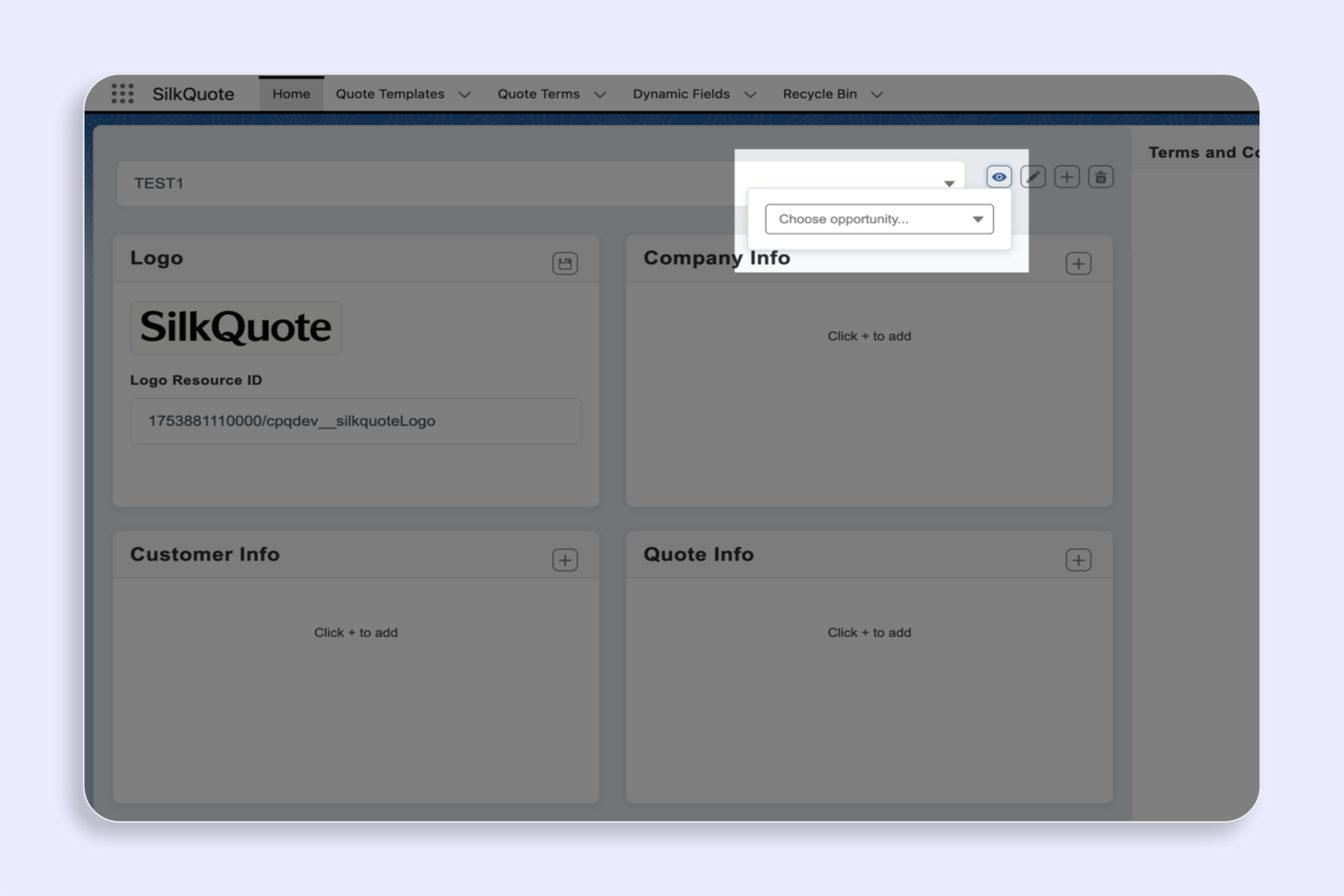
Template design. The SilkQuote Configuration Manager is an admin-facing no-code builder for creating quote templates. Admins drag and drop sections (header, recipient block, line items, totals, terms, signature), map fields from Salesforce objects, configure conditional section visibility, and upload logos. Templates are previewed against real Opportunity data before publication. For a full walkthrough of the template builder, see Salesforce quote template builder.
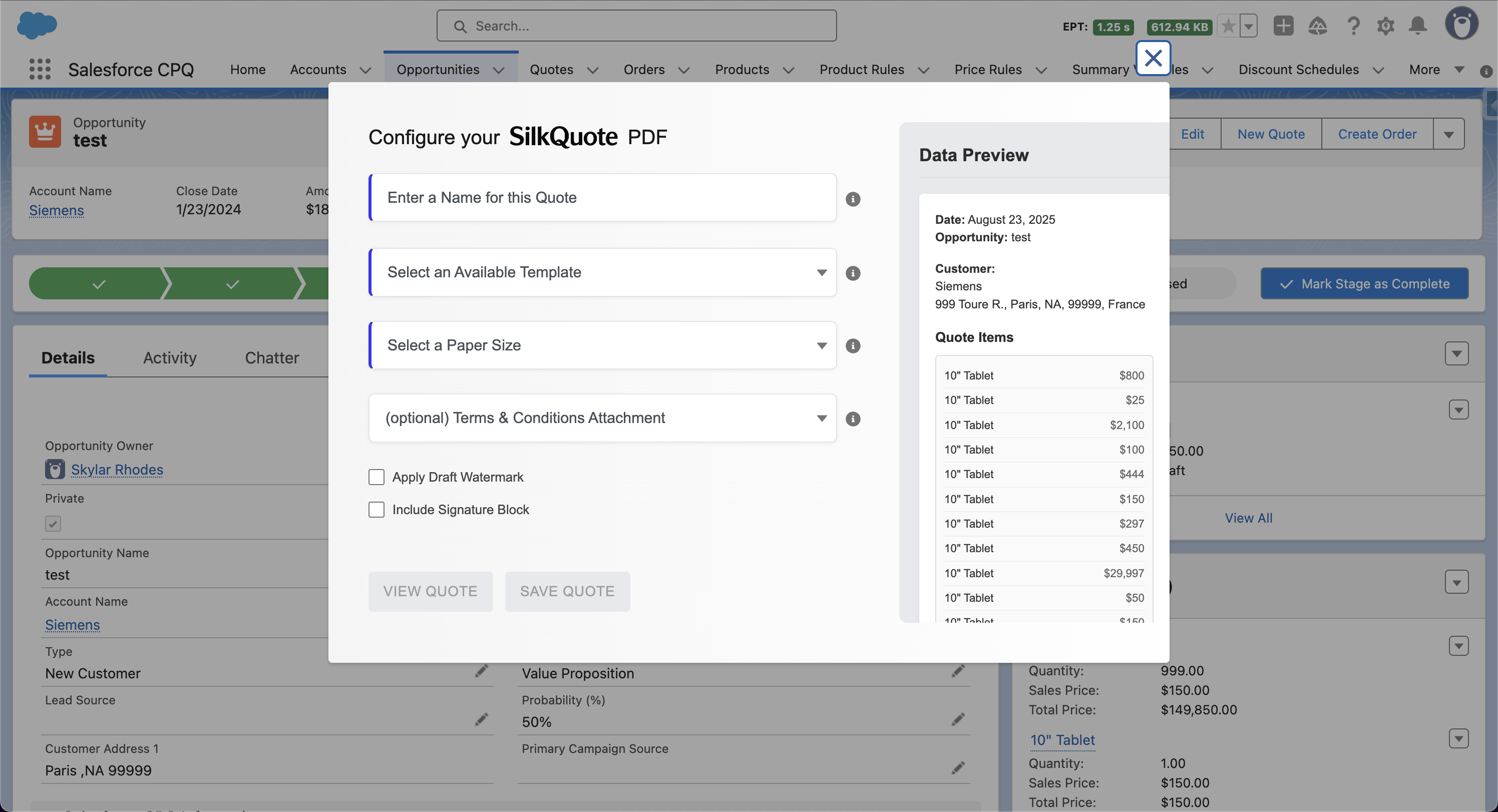
One-click generation. From any Opportunity, reps click the “Generate Quote Document” Quick Action. A simple dialog prompts for the quote name, template selection, and paper size. Optional toggles include draft watermark and terms attachment. Clicking “Save PDF” generates the document in seconds.
Preview before saving. Reps can preview the PDF before committing it to the record. The preview uses live Opportunity data and matches the final output exactly. This prevents errors from reaching prospects.
Version history. Every generated quote is saved as a Content Document on the Opportunity. Multiple versions accumulate without any manual file management. The Opportunity’s Files tab shows the full history in chronological order.
Stale quote detection. If Opportunity data changes after a quote is generated, SilkQuote flags the existing PDFs as stale. Reps see this indicator on the Opportunity and know to generate a new version before sending.
Prospect sharing. SilkQuote generates a hosted, secure URL for each quote. Reps share this link with prospects. The prospect views the quote in a browser, with the option to accept or decline.
Activity logging. All quote actions log as activity records on the Opportunity. This includes generation, sharing, email opens, quote views, acceptances, and declines. The full quote history is visible in the activity timeline without leaving the record.
Standard Salesforce Quoting vs. SilkQuote: A Direct Comparison
Salesforce includes a native Quotes object with Quote Templates. Understanding the gap between standard Salesforce quoting and SilkQuote clarifies why teams typically need a dedicated quoting tool.
| Capability | Standard SF Quotes | SilkQuote |
|---|---|---|
| Template designer | Basic section editor | Drag-and-drop visual builder |
| No-code template creation | Limited | Full |
| Conditional sections | Not supported | Supported with field-based rules |
| Line item grouping | Not supported | Supported with subtotals |
| Logo and branding | Minimal | Full control |
| Generate from Opportunity | Requires Quote record | Direct from Opportunity |
| Draft watermark | Not supported | Supported |
| Preview before save | Not supported | Supported |
| Version history on Opportunity | Manual | Automatic |
| Stale quote detection | Not supported | Supported |
| Prospect acceptance tracking | Not supported | Supported |
| Email open tracking | Not supported | Supported |
| Flow invocable action | Not supported | Supported |
| Cost | Included with Salesforce | Free |
The comparison makes clear that standard Salesforce quoting is a starting point, not a complete solution. SilkQuote adds the template quality, generation convenience, and tracking capabilities that teams need for a professional quoting workflow.
Who Should Use SilkQuote vs. a Full CPQ Platform
The decision between SilkQuote and Salesforce CPQ depends primarily on pricing complexity and product configurability.
SilkQuote is the right choice when:
- Products and pricing are managed in standard Salesforce Products and Price Books
- Reps select products and set pricing through the standard Opportunity Products interface
- Quote requirements are primarily about document quality, branding, and consistency
- The team needs quotes live quickly, without a multi-month CPQ implementation
- Budget constraints make CPQ licensing impractical
CPQ is the right choice when:
- Product catalog includes configurable bundles with compatibility rules and constraints
- Pricing logic is complex enough to require a rules engine separate from Opportunity Products
- Multi-tier approval matrices based on discount levels and product types are required
- The business model includes subscriptions, amendments, and renewal quoting
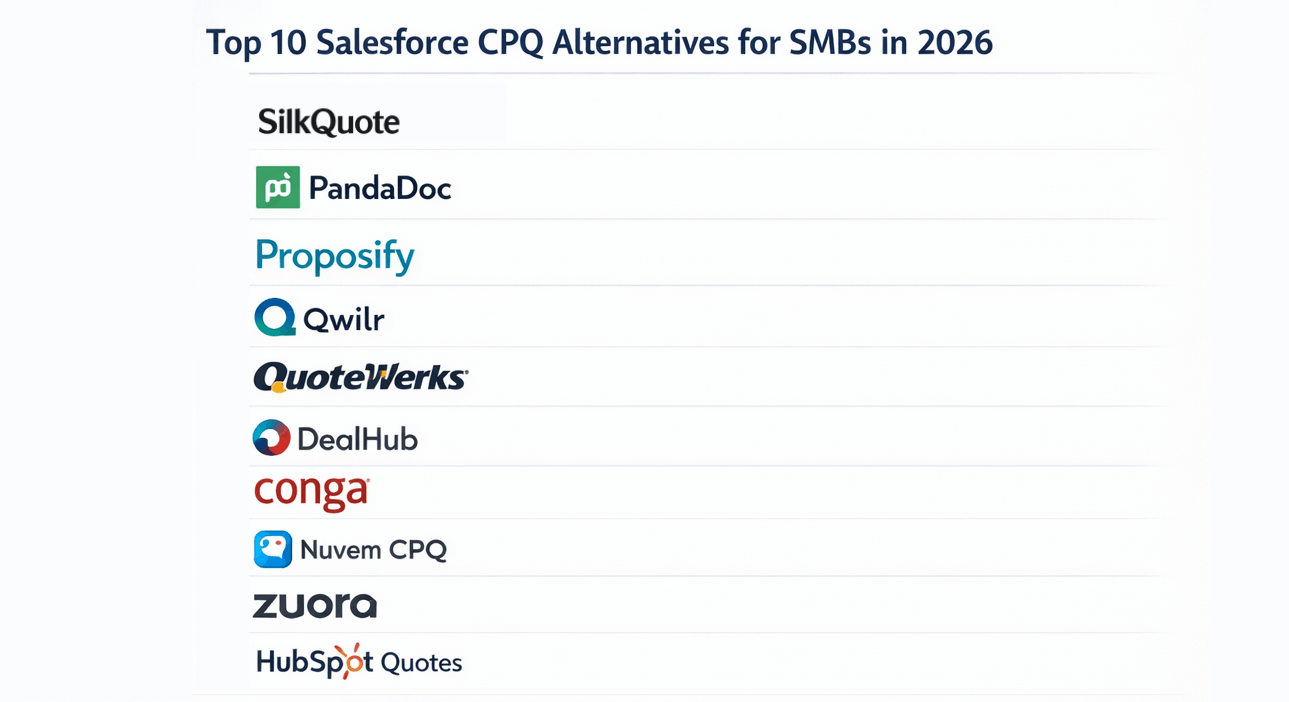
For a detailed analysis of the CPQ decision, see Salesforce CPQ alternative. For benchmarking SilkQuote against other lightweight tools, see top 10 Salesforce CPQ alternatives for SMBs and the SilkQuote vs. CPQ comparison.
Quote Sharing, Prospect Acceptance, and Activity Logging
The quoting workflow does not end when the PDF is generated. The gap between quote generation and prospect response is where most deals either move forward or stall. Visibility into that gap directly affects follow-up strategy.
SilkQuote’s sharing and tracking features address this:
Hosted quote links. Each generated quote has a unique hosted URL. The rep copies the link and includes it in an email to the prospect. The link opens a branded page displaying the quote in a clean, readable format. The prospect does not need a Salesforce account or a PDF viewer installed.
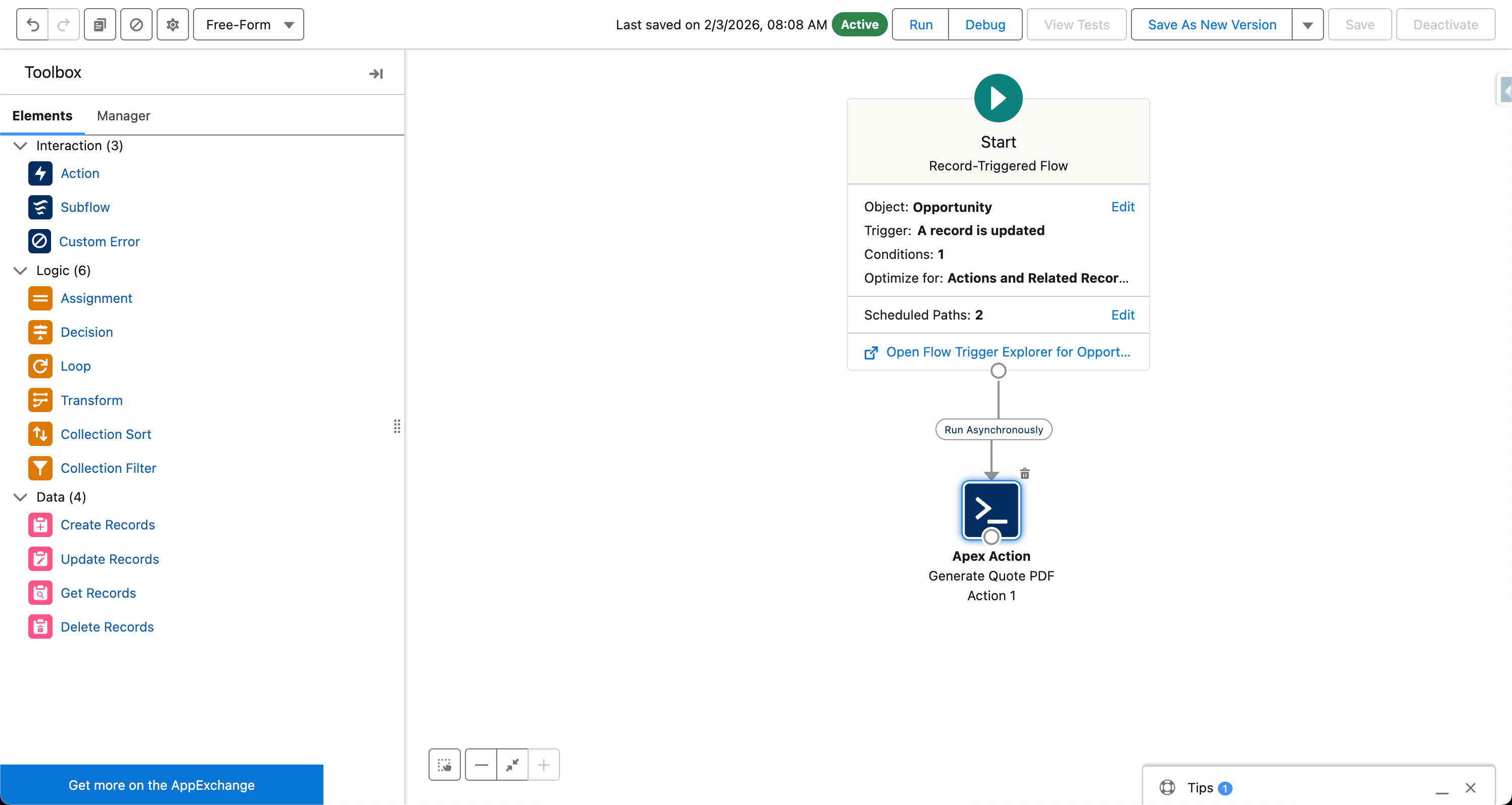
Acceptance and decline. The hosted quote page shows Accept and Decline buttons. When the prospect clicks Accept, the event logs on the Opportunity and can trigger a Salesforce Flow for next steps (contract generation, opportunity stage update, rep notification). When the prospect declines, that event also logs.
Email open tracking. When the quote link is shared via email, SilkQuote tracks whether the prospect opened the email. The open event appears in the Opportunity’s activity timeline. This lets reps prioritize follow-up based on engagement rather than guessing.
Comprehensive activity log. The complete history of every quote action is logged: when the quote was generated, when the link was sent, when the email was opened, when the quote was viewed, and when the prospect responded. This information is available directly on the Opportunity record, visible to the rep, the manager, and anyone with record access.
Deployment: How Fast Can the Tool Go Live?
Time to value is a practical consideration for any quoting tool evaluation. SilkQuote is designed for same-day deployment.
Installation. Install SilkQuote from the AppExchange. The managed package installs in minutes using the standard AppExchange installation wizard. No sandbox promotion is required for initial evaluation, though sandbox testing before production deployment is recommended.
Permission assignment. Assign the SilkQuote Permission Set to users who will design templates or generate quotes. This is a standard Salesforce Permission Set, assignable to individual users or through a Permission Set Group.
Template creation. Build the first quote template in the SilkQuote Configuration Manager. For a straightforward template with a logo, recipient block, line items, and totals, an admin familiar with Salesforce can complete this in under an hour.
Quick Action setup. Add the “Generate Quote Document” Quick Action to the Opportunity page layout through the standard Layout Editor. No code is required.
First quote. Open any Opportunity, click the Quick Action, select the template, and generate. The first quote is typically live within the same day as installation.
Compare this to CPQ implementations, which typically run three to six months and require certified CPQ consultants. For teams that need quoting capability now, SilkQuote’s deployment timeline is a decisive advantage. For best practices on template design and rep training, see the Salesforce quoting best practices guide.
The Fastest Path to Professional Salesforce Quotes
SilkQuote is the most direct route from Salesforce Opportunity data to a professional PDF quote. Free on the AppExchange, live the same day, and built specifically for the way most Salesforce sales teams actually work.
Install SilkQuote from the AppExchange and start generating professional quotes from every Salesforce Opportunity.
Frequently Asked Questions
What Salesforce editions does SilkQuote work with?
SilkQuote supports Salesforce Professional, Enterprise, Unlimited, Developer, and Performance editions. It requires Lightning Experience and is not compatible with Salesforce Classic.
Is SilkQuote a CPQ replacement?
SilkQuote replaces CPQ for teams whose primary use case is generating professional PDF quotes. It does not include CPQ's pricing engine, guided selling, or multi-tier approval matrix. For teams that use CPQ primarily for document generation, SilkQuote covers all necessary functionality.
Can prospects accept or decline quotes through SilkQuote?
Yes. When a rep shares a quote via SilkQuote's link-sharing feature, the prospect receives a hosted URL where they can view the quote in a browser and click Accept or Decline. No Salesforce account is required. Acceptance and decline events are logged automatically on the Opportunity.
Does the quoting tool track whether prospects have opened a quote?
Yes. SilkQuote tracks email opens when quotes are shared via the built-in sharing feature. Open events, view events, acceptance, and decline all appear in the Opportunity's activity timeline.
Does SilkQuote require any additional Salesforce licenses?
No. SilkQuote uses standard Salesforce platform capabilities and does not require additional platform licenses. It is compatible with standard Salesforce user licenses (Salesforce, Sales Cloud, and similar) and assigns access through a standard Permission Set.